Windows 11 ZIP speed benchmark: built-in tools vs archive apps
Whether Windows 11 built-in tools or an archive app is faster depends on the task. In the July 29, 2026 rerun, Karuzip’s bundled engine compressed 1,000 files into ZIP in about one twelfth of PowerShell’s time, while Windows tar extracted that ZIP faster and built-in routes compressed one 1 GB file faster.
- Compress 1,000 files into ZIP: Karuzip 1.29 s, PowerShell
Compress-Archive15.23 s. - Extract the same ZIP: Windows
tar0.97 s, Karuzip 1.88 s. - Compress one 1 GB file: the bundled engine took 72.76 s, the slowest of the four methods, and produced a 142.4 MB ZIP versus 171.0 MB from
tar.
Medians of five runs on July 29, 2026, using the Karuzip v1.3.0 bundled 7-Zip 25.01 engine. We have not rerun this comparison on the current release.
Updated September 12, 2026 · Written by the Karuzip team, which also ran the measurements · Test dates and screenshot versions are stated separately.
tar stayed the fastest extractor in both runs, and the bundled 7-Zip engine became the slowest option on one 1 GB file because it spent more time making a smaller ZIP.This page is for people who want numbers, not folklore. We measured Windows 11 built-in ZIP paths and archive-app workflows on the same machine, with the same datasets, and we kept the negative results visible instead of polishing them away.
Scope: this page compares Windows 11 built-in routes such as PowerShell, tar, and Shell.Application against Karuzip and the same bundled 7-Zip engine. If you want an archive-app-only comparison, use the archive extractor benchmark instead. Do not mix the seconds across those two pages because the datasets are different.
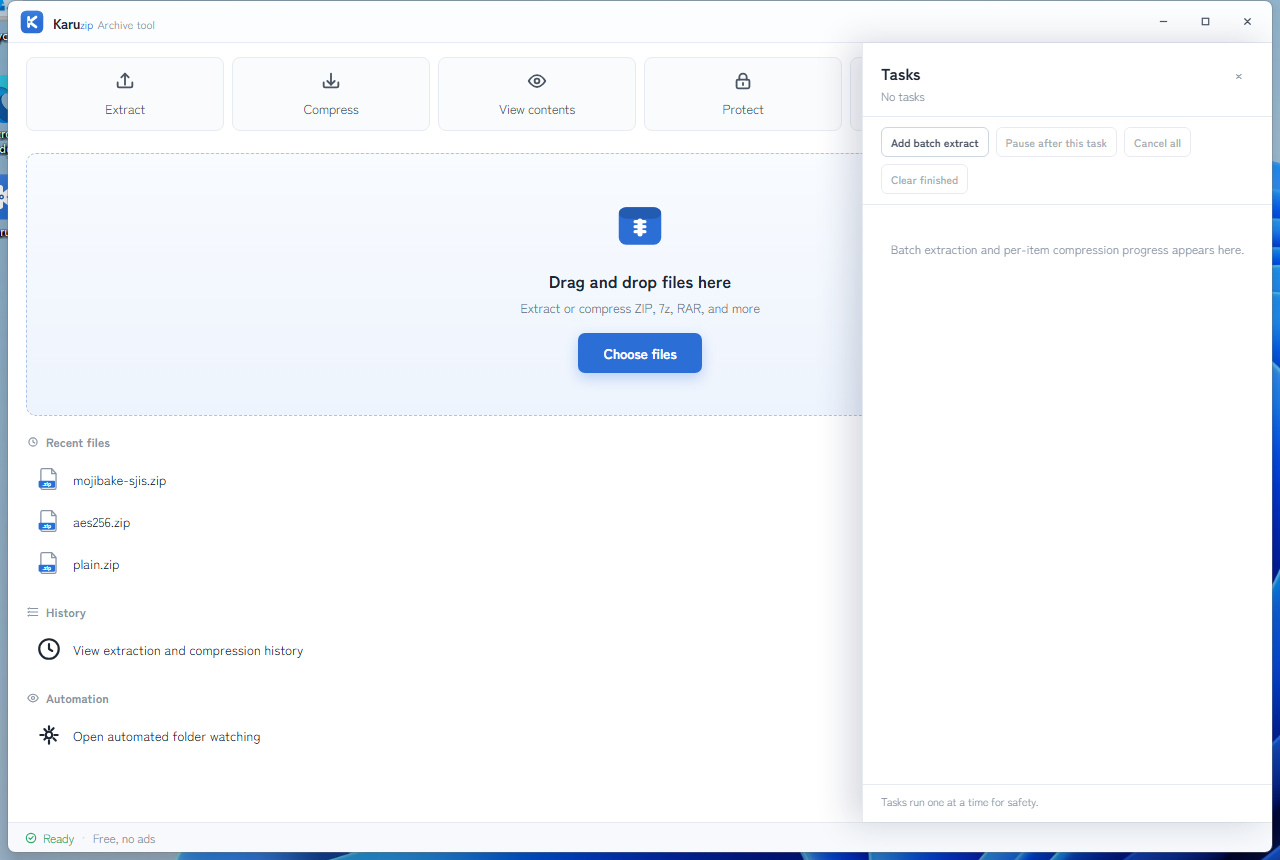
Test environment and method
- Machine: AMD Ryzen 9 5950X, 32 GB RAM, NVMe SSD, Windows 11 Pro build 26200.
- Initial run: Karuzip v1.0.3 bundled 7-Zip 25.01, PowerShell
Compress-ArchiveandExpand-Archive, Windowstar, and Shell.Application API on July 3, 2026. - Rerun: Karuzip v1.3.0 plus the same engine family on July 29, 2026, with five runs per scenario and the median recorded.
- Karuzip GUI-path boundary: v1.3.0 can use its built-in parallel deflate only for one unencrypted, not-already-compressed file from 16 MiB to 4 GiB at the automatic compression level. The tested v1.3.0 release had no public command-line entry point for that GUI path. The current direct-download edition includes a CLI, but these historical measurements are not current CLI timings. The reproducible Scenario 3 Karuzip row therefore measures the bundled 7-Zip engine, not the v1.3.0 GUI path; a reproducible GUI-path timing is still unpublished.
- Dataset A: 1,000 UTF-8 text files, each about 150 to 250 KB, total 389,427,154 bytes.
- Dataset B: one CSV-like file, 1,073,786,899 bytes.
- Important limit: the Shell.Application path is a completion-detection approximation because the API is asynchronous and does not return a clean finished state.
- Reproducibility: the data-generation scripts, timing scripts, and raw rerun values are published in karuzip-bench.
Rerun on 2026-07-29 (n=5)
The rerun kept the same machine but regenerated the datasets from the public scripts. The file counts and byte totals stayed the same, while the file contents changed, so compression ratios changed too. Read each table internally, not as a direct before-and-after delta versus the first run.
Scenario 1: compress 1,000 files into ZIP
| Method | Median time | Output ZIP | Relative speed |
|---|---|---|---|
| 7-Zip 25.01 standalone | 1.26 s | 59.4 MB | Fastest baseline |
| Karuzip v1.3.0 bundled 7-Zip 25.01 | 1.29 s | 59.4 MB | About 1.0x |
Windows tar | 5.20 s | 60.0 MB | About 4.1x |
| Shell.Application API | 5.87 s | 62.4 MB | About 4.7x |
PowerShell Compress-Archive | 15.23 s | 60.0 MB | About 12.1x |
For many small files, the bundled 7-Zip engine remained the fastest path. Karuzip and standalone 7-Zip were effectively tied because they are the same engine family in this scenario.
Scenario 2: extract the same 1,000-file ZIP
| Method | Median time | Relative speed |
|---|---|---|
Windows tar | 0.97 s | Fastest baseline |
| Karuzip v1.3.0 bundled 7-Zip 25.01 | 1.88 s | About 1.9x |
| Shell.Application API | 7.83 s | About 8.1x |
PowerShell Expand-Archive | 10.30 s | About 10.6x |
Windows tar stayed the fastest extractor. Karuzip remained fast enough for normal use, but not the absolute winner.
Scenario 3: compress and extract one 1 GB file
| Compression method | Median time | Output ZIP | Relative speed |
|---|---|---|---|
| Shell.Application API | 17.19 s | 174.1 MB | Fastest baseline |
Windows tar | 20.04 s | 171.0 MB | About 1.2x |
PowerShell Compress-Archive | 25.78 s | 171.1 MB | About 1.5x |
| Karuzip bundled 7-Zip engine | 72.76 s | 142.4 MB | About 4.2x and slowest |
The negative result matters here: the bundled 7-Zip engine was the slowest option on a single large file. The tradeoff was a smaller ZIP, roughly 17% smaller than the Windows built-in outputs. This row must not be presented as a timing of Karuzip v1.3.0's GUI-only parallel-deflate path; that path remains unmeasured in a reproducible script.
| Extraction method | Median time | Relative speed |
|---|---|---|
Windows tar | 1.07 s | Fastest baseline |
| Karuzip v1.3.0 bundled 7-Zip 25.01 | 2.80 s | About 2.6x |
PowerShell Expand-Archive | 3.05 s | About 2.9x |
| Shell.Application API | 4.48 s | About 4.2x |
The extraction side stayed short for every path, but Windows tar still won.
Rerun reference: 7z output
On the rerun's 1,000-file dataset, Karuzip's bundled 7-Zip path produced a 49.5 MB 7z archive in 20.47 s. That was smaller than the rerun ZIP result of 59.4 MB, with a clear time-versus-size tradeoff.
Scenario 4: AES-256 encrypted ZIP
| Method | Result |
|---|---|
PowerShell Expand-Archive | Failed: "The archive entry was compressed using an unsupported compression method" |
Windows tar | Failed: "Couldn't read passphrase" |
| Karuzip | Succeeded after a password prompt |
That result matched the first run. The benchmark is specifically about AES-encrypted ZIP files, not every password-protected ZIP ever created.
Initial run on 2026-07-03
The initial run stays visible because removing older numbers would hide the actual history. These values came from Karuzip v1.0.3 and the then-current Windows-built-in routes.
Scenario 1: compress 1,000 files into ZIP
| Method | Median time | Output ZIP | Relative speed |
|---|---|---|---|
| Karuzip bundled 7-Zip 25.01 | 2.27 s | 58.6 MB | Fastest baseline |
| Shell.Application API | 9.17 s | 70.0 MB | About 4.0x |
Windows tar | 16.58 s | 62.1 MB | About 7.3x |
PowerShell Compress-Archive | 27.11 s | 62.1 MB | About 12.0x |
Scenario 2: extract the same 1,000-file ZIP
| Method | Median time | Relative speed |
|---|---|---|
Windows tar | 0.97 s | Fastest baseline |
| Karuzip bundled 7-Zip 25.01 | 1.86 s | About 1.9x |
PowerShell Expand-Archive | 10.56 s | About 11.0x |
| Shell.Application API | 13.55 s | About 14.0x |
Scenario 3: compress and extract one 1 GB file
| Compression method | Median time | Output ZIP | Relative speed |
|---|---|---|---|
Windows tar | 11.57 s | 117.7 MB | Fastest baseline |
| Shell.Application API | 12.55 s | — | About 1.1x |
PowerShell Compress-Archive | 16.85 s | 117.7 MB | About 1.5x |
| Karuzip bundled 7-Zip 25.01 | 75.25 s | 106.7 MB | About 6.5x and slowest |
| Extraction method | Median time | Relative speed |
|---|---|---|
Windows tar | 0.95 s | Fastest baseline |
| Karuzip bundled 7-Zip 25.01 | 2.19 s | About 2.3x |
PowerShell Expand-Archive | 2.47 s | About 2.6x |
| Shell.Application API | 4.80 s | About 5.1x |
Initial-run reference: 7z output
When ZIP was not required, the same 1,000-file dataset compressed to 52.0 MB in 7z format, but the median time rose to 50.1 s. The benchmark is a reminder that smaller and faster are often different goals.
What the benchmark actually supports
| Question | Measured answer |
|---|---|
| Do archive apps help with many small files? | Yes. Karuzip and the same bundled 7-Zip engine were much faster than PowerShell and clearly ahead of the Shell API route. |
| Are built-in Windows paths useless? | No. Windows tar stayed the fastest extractor in both runs and was very competitive on one large file. |
| Does smaller ZIP always mean faster? | No. The bundled 7-Zip engine produced the smallest large-file ZIP but took the longest time to make it. |
| Can Windows 11 built-ins handle AES ZIP extraction? | No in this benchmark. Karuzip was the only successful path among the tested options. |
How to read these historical measurements
The measurements on this page retain their stated dates, versions, input sizes, and processing paths. Reviewing the article on September 12, 2026 did not rerun these measurements. We have not rerun this full performance comparison on the current release.
Compare tools within the same table. Do not combine these timings with the archive-app benchmark, which uses different input data. Use the published method and scripts to reproduce a scenario on your own PC; a result for a large repetitive text file does not predict the result for photos or many small files.
Official references
- karuzip-bench on GitHub
- Microsoft PowerShell: Compress-Archive
- Microsoft PowerShell: Expand-Archive
- 7-Zip 25.01 release
Frequently asked questions
Is Windows 11 built-in ZIP handling always slower?
No. In the initial run, Windows tar was the fastest way to extract the 1,000-file ZIP, and it stayed fastest in the rerun. The biggest built-in slowdown showed up when creating ZIP files from many small files, especially in PowerShell.
Why was Karuzip slowest on one 1 GB file?
The published row is the bundled 7-Zip engine path, which prioritizes compression ratio over speed for a single large file. It is not a reproducible timing of the v1.3.0 GUI-only parallel-deflate path; that GUI measurement remains pending. The measured engine-path tradeoff was a smaller output archive, not a faster workflow.
Can Windows 11 open AES-256 encrypted ZIP files by itself?
Not in this benchmark. Expand-Archive failed with an unsupported compression-method error, tar failed when it could not read the passphrase, and Karuzip extracted the archive after a password prompt.
Can I compare the seconds on this page with the archive extractor benchmark?
No. The two benchmark pages use different datasets, so the seconds should only be compared inside one page at a time. The roles are different too: this page compares built-in Windows paths with archive apps, while the other page compares archive apps against each other.
Related guides
Take the benchmark back into the product pages
For what Karuzip does beyond these measurements, read the product guide. The download page lists the current release and how to verify it.
How to make a fair comparison with a newer version
The tables on this page describe the versions and dates printed beside them. They are not measurements of the current public version. For a fresh comparison, record input hashes, bytes and file count, hardware, Windows version, output format, and compression profile.
For a GUI run, time from the operation starting until the result controls are usable. For a CLI run, time until the process returns its final JSON result and exits. Engine termination alone does not establish that commit and verification have finished. Keep GUI and CLI measurements separate.
Record archive size as well as time, then compare every extracted filename, byte count, and hash with the input. Report repeated-run medians and variation. The 2.2.3 development targets of a 15% GUI speedup and 15% memory reduction are not presented as achieved product benefits.
Command example
karuzip-cli --json archive.compress --input ".\sample-data" --output ".\result-normal.zip" --format zip --profile normal
karuzip-cli --json archive.test --archive ".\result-normal.zip"
Replace the sample paths with your own test inputs. Keep global options before the action. Check the exit code and final JSON; these snippets are command examples, not proof that your archive will succeed.
Start with the CLI reference, then follow the actual local-command workflow for Codex, Claude Code, or DeepSeek Harness.
Checked on September 12, 2026 against 2.2.3 before its release on September 21, 2026. Current public download: 2.2.7. Historical screenshots and measurements retain their original version. Editorial and testing policy.